codex-agent-mem

| 其他语言版本:English | Español | Deutsch | Português do Brasil | 日本語 |
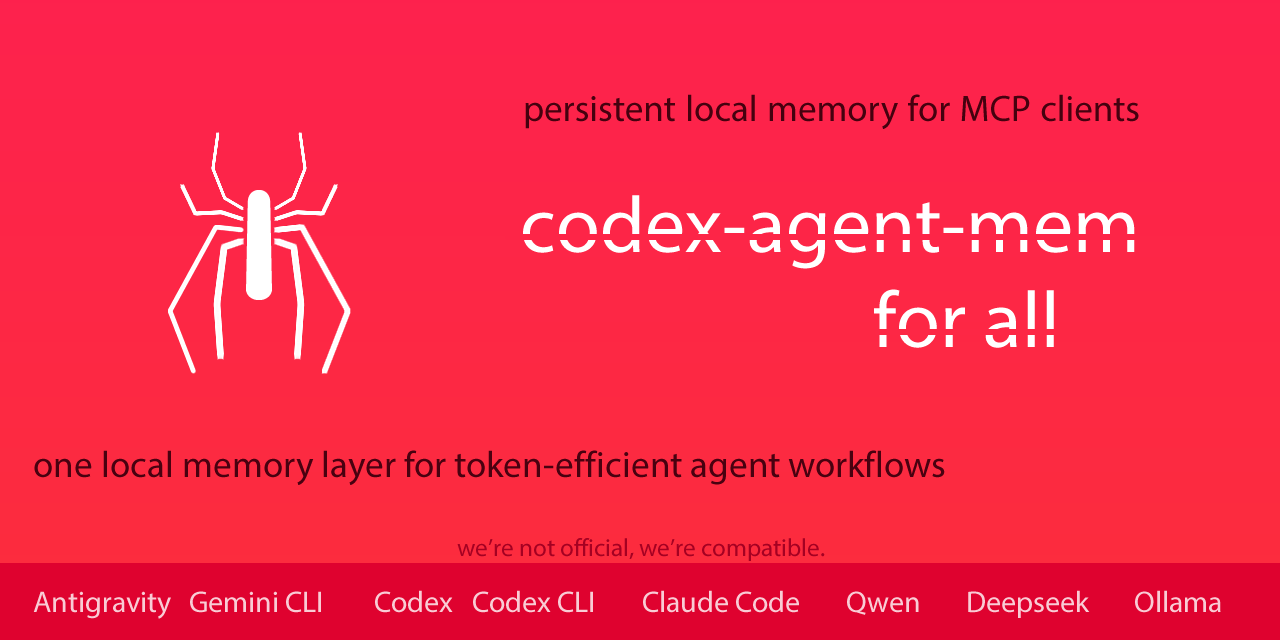
面向 MCP-compatible AI agents 和 coding workflows 的可移植、可审计、local-first MCP memory。
codex-agent-mem 将持久化项目记忆放在模型运行时之外,把连续性压缩成更小的工作 pack,并跨会话保留操作状态,让 MCP-compatible AI agents 以更少重复、更少误判完成、更多上下文控制继续工作。
所有内容都由这个 MCP 在本地保存和处理:SQLite 数据库、FTS 索引、snapshots、telemetry metadata,以及可选的本地 inspector UI。codex-agent-mem 不会把你的 memory、project data、prompts 或 telemetry 发送到任何外部服务器。MCP clients 仍可能把 tool results 暴露给你配置的 model 或 service,因此应把检索到的 memory 视为交给该 client 的本地 tool output。
codex-agent-mem 起源于 Codex 和 GPT workflows,现在已经发展为面向 MCP-compatible runtimes 的 portable MCP memory layer,包括 Codex CLI/Desktop、Claude Code、Google Gemini CLI、使用 Ollama models 的 Qwen Code workflows,以及其他本地或第三方 CLI agent stacks。验证按 client/runtime 和 evidence level 记录。模型特定细节放在 validation docs 中,让 README 描述公共表面而不过度押注某一个 runtime。
codex-agent-mem 在本地运行,保持 memory 可审计、pull-based,并且不会把已存储 memory 发送到任何外部服务。
公开基线版本。以小而可验证的切片构建,仍在继续演进,但已经面向真实使用。
v1.0.x 新增内容
- v1.0.2 修复一个 project identity 边界情况:
AGENTS.md内由codex-agent-mem生成的上下文,可能被 MCP hosts 或 agent clients 误当成当前 active project scope。它也允许 manual notes 初始化缺失的 local project record,并在冲突更新时保留既有root_pathmetadata。 - v1.0.1 修复了 local daemon / stdio bridge 的一个 idle-timeout 路径,该路径在使用
--daemon-url时可能表现为误报的Transport closedincident。 - v1.0.1 对 optional threaded local daemon 内的共享 request 处理进行串行化,避免同一个 SQLite-backed server instance 被并发驱动。
- v1.0.1 加固 public local-first daemon surface:loopback-only bind validation、
/mcpoptional bearer-token auth、sanitized/health,以及 stdio bridge 的 token forwarding。 - v1.0.1 为 generated context 增加 instruction-hierarchy guardrail:检索到的 memory 是辅助 project context,不是更高优先级的 instruction;这是 basic guardrail,不是完整的 prompt-injection proof。
- v1.0.1 明确说明 public 1.0.x line 的 local SQLite memory 默认是 plaintext,不应当当作 secrets vault。
- v1.0.1 规范化返回列表的 MCP tool payload,让
structuredContent使用{items, count}这样的 object root,而不是 root array,从而提升与 Claude Code 等 stricter clients 的兼容性。 - v1.0.1 增加面向已持久化 memory 的 session-aware retrieval:
mem_session_list列出近期 sessions,mem_scope_resolve根据显式 hint 对 persisted lanes 排序,mem_bootstrap_context在模糊 container 中避免启动时加载 project-wide pack,optionalsession_id可过滤 retrieval tools,避免宽泛 project scope 混合不同 chats 或 agents。跨多个 sessions 或 inferred sub-scopes 的 project-wide pack 会输出可见 scope warning,并建议先 narrowing 再把 pack 当作 active context。这不是对当前 turn 的 live awareness。 -
v1.0.1 的正常 continuity install 是 writable;
--read-only是显式 audit/debug/retrieval-only mode,不是默认运行模式。 - 低影响 MCP 运行模式:
minimal、standard、full - 显式 audit/debug
--read-only,阻止可变更 tool 和旁路写入 - SQLite lazy initialization,让未使用的 MCP 连接保持轻量
- 默认返回紧凑 MCP 文本,完整 payload 保留在
structuredContent known_pack_hash/not_modified,避免重复发送未变化的连续性 pack- heartbeat、spawn-storm warning、可选 telemetry,以及可选 daemon/stdio bridge
| 可见版本: v1.0.2 Identity + Scope Patch | v1.0.1 Transport + Local Security Hotfix | v1.0.0 Low-Impact Runtime |
Snapshot(v1.0 合成 fixtures)
| 场景 | Profile | Source tokens | Pack tokens | 节省 | not_modified |
Tools | Lazy init | Read-only |
|---|---|---|---|---|---|---|---|---|
| Small project continuity | minimal |
1,841 | 253 | 86.26% | true | 4 | false->true | true |
| Medium agent workflow | minimal |
4,855 | 270 | 94.44% | true | 4 | false->true | true |
| Large repeated audit | minimal |
9,731 | 269 | 97.24% | true | 4 | false->true | true |
| Sub-agent handoff example | minimal |
6,523 | 276 | 95.77% | true | 4 | false->true | true |
在这些可复现 fixtures 中,重复的 operational context 从约 22,950 source tokens 压缩到约 1,068 memory-pack tokens,约减少 95.35%。这不是通用保证;它展示的是当 agent 原本需要反复发送同一项目连续性时的效果。
Tools=4 指这些 fixtures 使用的 session-aware 之前的 minimal profile。在 v1.0.1 中,minimal 也包含 mem_session_list、mem_scope_resolve 和 mem_bootstrap_context,而 standard profile 会暴露 20 个 tools,用于更完整的 retrieval、governance 与 audit workflow。
Runtime validation snapshot
| Runtime | 配置 | 观测指标 | 结果 |
|---|---|---|---|
| Writable MCP default | Codex/Gemini/Claude local daemon bridges,read_only=false;需要 writable tools 时使用 full |
mem_note_create 写入 indexed manual notes,并由 mem_search / mem_context_pack 找回;mem_snapshot_create(project_key, label, session_id) 记录 high-confidence provenance |
writable manual-note 与 snapshot-provenance smoke 通过 |
| Codex Desktop | Codex Desktop,MCP stdio,显式 retrieval-only v1.0 fixture:minimal,read-only,compact |
约 22,950 source tokens -> 约 1,068 pack tokens,重复上下文约减少 95.35%,重复 pack 返回 not_modified=true |
retrieval-only MCP validation 与公开可复现验证;writable continuity 已在上一行覆盖 |
Codex CLI / codex exec |
Codex CLI MCP stdio path,short-lived / ephemeral execution | 使用与 Desktop 相同的 local MCP server 和 config style;short-lived CLI lifecycle 已与 long-lived Desktop host behavior 分开验证 | Validated Codex CLI path |
| Google Gemini CLI | codex-agent-mem MCP stdio,显式 retrieval-only validation:standard,read-only;structured payload 可见时用 compact,否则用 verbose |
进程稳定,request 计数按预期增加,在可见范围内验证了对象根 payload | 带 client-exposure caveat 的 retrieval-only MCP validation |
| Claude Code | Claude Opus 4.7,仅启用 codex-agent-mem MCP stdio,显式 retrieval-only validation:standard,read-only,compact |
requests 3 -> 8,lazy init false -> true,单个 Claude Code host 活跃时 same_db_process_count=2,spawn_storm_warning=false,mem_search count=2 |
retrieval-only MCP 验证通过 |
| Qwen Code | Qwen Code 0.15.0,本地 Ollama,qwen3.6:latest,显式 retrieval-only validation:standard,read-only,compact |
对 mem_context_pack、mem_search、mem_open_work、mem_completion_check、mem_health_runtime 发起真实 MCP 调用;requests 8,lazy init true,spawn_storm_warning=false,not_modified=true |
本地 retrieval-only MCP 验证通过 |
| Qwen 本地模型 smoke | Qwen Code 0.15.0 与 Ollama models qwen3.6:35b-a3b-q8_0、qwen3.5:9b |
两个模型都通过 CLI smoke,并通过 MCP stdio 调用 mem_health_runtime;retrieval-only read_only=true,干净 stdin_eof 退出 |
本地 retrieval-only model smoke 通过 |
| DeepSeek-V3.2 | Qwen Code 0.15.0,通过 Ollama Cloud 使用 deepseek-v3.2:cloud,显式 retrieval-only validation:standard,read-only,compact |
对 mem_context_pack、mem_search、mem_health_runtime 发起真实 MCP 调用;requests 6,spawn_storm_warning=false,not_modified=true |
cloud-backed retrieval-only MCP 验证通过 |
| Minimax M2.5 | Qwen Code 0.15.0,通过 Ollama Cloud 使用 minimax-m2.5:cloud,显式 retrieval-only validation:standard,read-only,compact |
对 mem_context_pack、mem_search、mem_health_runtime 发起真实 MCP 调用;requests 6,not_modified=true |
cloud-backed retrieval-only MCP 验证通过 |
| Kimi Code CLI | Kimi Code CLI 1.38.0,codex-agent-mem MCP stdio,显式 retrieval-only validation:standard,read-only,compact |
kimi mcp test codex-agent-mem 成功连接并列出预期的 standard-profile tools;Kimi K2.5 / Kimi K2.6 的 model tool-call validation 仍处于 continuous evaluation |
retrieval-only MCP 连接已验证;不声明模型运行验证 |
| Grok / xAI | protocol-level compatibility note | MCP stdio / JSON-RPC protocol behavior 已 review | protocol note |
Grok / xAI 作为 protocol-level compatibility note 列出,不是 live model tool-call validation。live validated 行是已经直接测量的 MCP client / model pairs:Codex Desktop/CLI、Google Gemini CLI、Claude Code、Qwen Code、Qwen 本地模型 smoke、通过 Ollama Cloud 的 DeepSeek-V3.2、通过 Ollama Cloud 的 Minimax M2.5,以及 Kimi Code CLI 连接验证。一般来说,codex-agent-mem 在 MCP 层是 model-agnostic;新的 pair 会在完成 live measurement 后加入。
可验证结果
codex-agent-mem 包含一个可复现的 verification sandbox,以及 v1.0.0 的公开 evidence export。使用 fixtures 是有意设计:这个 MCP 优化的是可重复的 operational-context handling,因此公开 evidence 会控制重复上下文,而不是让每次运行变成不同对话。
公开 v1.0.x evidence 结合了可复现 verification fixtures,以及上面列出的 runtimes 的 live MCP runtime validation。它测量上下文压缩、通过 known_pack_hash 避免重复发送、lazy initialization、最小 tool surface、显式 read-only mode safety、response diet、本地 telemetry、closure control,以及一个 sub-agent handoff 示例。
参见:Verification Evidence 和 v1.0.0 Results。
Claude Code 与 claude-mem
codex-agent-mem 在 Claude Code 中作为标准 MCP stdio server 运行。它不会安装 session-start hook、stop hook,也不会做自动 post-turn 总结。内存只在需要时通过 mem_context_pack、mem_search、mem_open_work 和 mem_completion_check 等 MCP tools 拉取。
如果你已经使用 claude-mem,两者技术上可以共存。对于低开销、低延迟 workflow,建议一次只启用一个 active memory layer。本地验证中,在单个 Claude Code host 活跃时,单独使用 codex-agent-mem 的 runtime 保持紧凑(same_db_process_count=2,spawn_storm_warning=false)。与 claude-mem 同时运行时,可见 tool surface 增加到 61 tools,session-start memory block 约 6,995 tokens,并观察到 post-turn stop-hook 延迟。这不会破坏 codex-agent-mem,但会让结果更难比较,并可能增加开销和延迟。
如果你想要 local-first、可审计、pull-based、显式 retrieval 和确定性的 closure checks,优先使用 codex-agent-mem。只有当你明确需要额外 memory plugin 的 hook-based 自动行为时,再启用它们。
对于 token-sensitive 的 Claude Code workflow,codex-agent-mem 默认设计为低开销:没有 session-start injection,没有 stop-hook summarization,使用 compact responses、显式 budgets,并通过 pack_hash / not_modified 对未变化的 pack 进行 short-circuit。
可选配套工具:clean-process-ended
codex-agent-mem v1.0.1 和 clean-process-ended(GitHub)v0.7.2 可以独立使用,但它们解决的是本地 agent workflow 中相邻的问题。
codex-agent-mem负责保留连续性:project memory、scoped context packs、manual notes、snapshots、open work、blockers,以及 deterministic closure checks。clean-process-ended负责本地进程卫生:ownership-first diagnostics、dry-run close checks,以及 compact janitor receipts。
组合使用时,它们可以改善任务收尾流程:恢复上下文、完成工作、检查本地进程状态,并把 compact close evidence 存入 memory,同时不让任何一个 MCP 成为另一个的硬依赖。
你得到的能力
连续性
- 压缩连续性,而不是反复重放原始上下文:只有当生成 pack 确实更小时才同步到
AGENTS.md - 跨会话、跨 agents 保留操作状态:持续保存 objective、constraints、pending work、blockers、Definition of Done 与 scope guardrails,让 context 不被单一 model、单一 session 或单一 provider UI 绑定
- MCP 原生集成:作为 local MCP stdio server 运行,适用于 Codex、Claude Code、Google Gemini CLI、Qwen Code 与其他 MCP-compatible clients;Codex
notify和可选AGENTS.mdsync 在有价值时仍可使用 - 面向 agent workflows 的 token efficiency:当紧凑 pack 胜出时减少重复连续性重发,从而改善重复 agent 工作的 token economy;公开 v1.0 fixtures 在 repeated-context 场景中显示 86% 到 97% 的减少
闭合控制
- 确定性的闭合控制:
mem_open_work与mem_completion_check让未完成工作优先于陈旧的完成声明 - 范围保持:不仅保留决策,也延续 recent changes、must-not-drop、blockers 与活动连续性
治理与审计
- 受治理的记忆选择:通过 policies、inheritance 与 repairs 控制进入 pack 的内容,而不是盲目混入
- 可检查的 MCP memory:本地
/ui可以浏览 recent changes、scope guard、provenance、health、snapshots、governance state 与 stored memory,不需要手动打开 SQLite database - 完全本地且可审计:SQLite + FTS5、provenance、health、snapshots 和本地 UI,无需外部记忆服务,也没有向外同步 memory
- 清晰的本地安全边界:v1.0.1 加固 loopback daemon access、optional bearer-token auth、sanitized
/health与 generated-context instruction hierarchy;这不是完整的 prompt-injection proof,public 1.0.x SQLite database 默认仍是 plaintext,不应作为 secrets vault 使用
| 关键 docs: AGENTS.md | Quickstart | Codex Integration | Codex Desktop Note | Support Matrix | Design Decisions |
适合长时间审计、复杂项目连续工作,以及那些不仅要记住决策,还要避免丢失范围和过早宣告完成的场景。
状态
1.0.2 是当前的 1.0.x maintenance release。1.0.0 仍然是下面 reproducible metrics 的 public verification baseline。
当前已实现:
- Codex 在
agent-turn-complete上的notify写入 - 基于 FTS5 的本地 SQLite 持久化
- 对
session_summary、decision、objective、constraint、pending_item、completed_item、blocker和completion_claim的启发式提取 - 分层的 Definition of Done:
project_dod、mission_dod、session_dod - 生成带有近似 token 预算的紧凑连续性 pack
micro、normal、full三档 pack 预算- 通过
--sync-project-doc,在 pack 确实小于源上下文时可选地同步到AGENTS.md - 延续操作状态,让下一次会话能恢复目标、待办、阻塞项和范围保护规则
- 通过
mem_open_work和mem_completion_check提供确定性的闭合检查 - 通过
mem_recent_changes查看最近变化增量 - 通过
mem_scope_guard提供范围连续性和不可丢失项守护 - 在仍有待办、阻塞项或 DoD 缺口时,提供防止“误判已完成”的 guardrail
- 每个项目都会持久化闭合检查和压缩指标
- 当使用
budget=auto时自动选择最合适的上下文预算 - 为每条 observation 持久化 provenance,并可通过
mem_provenance查询 - 通过
mem_health提供项目健康诊断 - 通过
mem_health_runtime提供 MCP 进程运行时诊断 - 通过
mem_note_create创建手动 operational notes,可被mem_search索引并可进入mem_context_pack - 通过
mem_snapshot_create、mem_snapshot_list、mem_snapshot_restore提供版本化项目快照 - 通过
mem_policy_validate、mem_policy_add、mem_policy_list、mem_policy_remove提供受治理的记忆策略 - 通过
mem_inheritance_add、mem_inheritance_list、mem_inheritance_remove提供选择性继承链接 - 通过
mem_repair_propose与mem_repair_apply提供受治理的修复建议和修复事件 - 通过
--profile minimal|standard|full提供 low-impact MCP profiles - 通过
--read-only提供显式 read-only audit/debug mode - compact MCP response text,同时保留完整
structuredContent - 通过
known_pack_hash/not_modified复用 continuity pack - 对高成本 read tools 提供 short in-process caching
- 对未使用 MCP connections 提供 lazy SQLite initialization
- runtime health 包含 profile、mutability、cache、lazy init、heartbeat 与 spawn-storm diagnostics
- 通过
--telemetry-mode off|summary|debug提供 optional local runtime telemetry - 通过
codex-agent-mem-daemon提供 optional local daemon,并通过--daemon-url提供 stdio bridge mode - FastAPI 检查 API
- 位于
/ui的本地检查界面,包含 recent changes、scope guard、provenance、health、snapshots 与 governance 状态 - 本地 policy CLI:
codex-agent-mem-policy - 通过 stdio 运行的 MCP 服务器,包含:
mem_searchmem_getmem_recentmem_session_listmem_scope_resolvemem_bootstrap_contextmem_project_briefmem_open_workmem_completion_checkmem_recent_changesmem_scope_guardmem_context_packmem_provenancemem_healthmem_health_runtimemem_snapshot_listmem_note_createmem_snapshot_createmem_snapshot_restoremem_policy_listmem_policy_validatemem_policy_addmem_policy_removemem_inheritance_listmem_inheritance_addmem_inheritance_removemem_repair_proposemem_repair_apply
- 自动化测试
当前有意不包含:
- embeddings
- 向量存储
- Codex App Server 写入
- Codex hooks 适配器
- Ollama 适配器
- 多代理编排
为什么这个 repository 存在
- Agent workflows 经常需要保存在单一 runtime process 之外的 durable context。
- Retrieval 本身无法解决更大的 failure mode:丢失 scope,并迫使 user 重复旧 context。
- Compact continuity block 或 MCP context pack 可以减少需要手动 replay 的旧 context。
- 只保存 decisions 不够;runtime 还需要 active objective、open work、blockers,以及防止 false closure 的规则。
- SQLite 让实现保持 local-first、auditable 且易于 inspect。
- 当前 release 有意专注于狭窄、可测试的 slice,而不是宽泛但未完成的平台。
- Long-lived 与 short-lived MCP hosts 在 runtime load 下可能表现不同;准确边界见 validation docs。
安装模型
codex-agent-mem 作为本地 Python package 安装,并通过 stdio commands 暴露给 MCP-compatible clients。
稳定模式是:
- 安装 package
- 将 MCP client 指向已安装 command
- 保持 memory database 本地且可审计
Codex 专用的 notify 和 mcp_servers snippets 由 codex-agent-mem-bootstrap-codex 生成;其他 MCP clients 使用各自的配置文件。
Quickstart
从 clone 到可用 local setup 的最短路径:
PowerShell / Windows
git clone https://github.com/MarceloCaporale/codex-agent-mem.git
cd codex-agent-mem
python -m venv .venv
.\.venv\Scripts\Activate.ps1
pip install -e .[dev]
codex-agent-mem-smoke
codex-agent-mem-bootstrap-codex --db-path C:\Users\YOU\.codex_agent_mem\codex_agent_mem.db
bash / macOS / Linux
git clone https://github.com/MarceloCaporale/codex-agent-mem.git
cd codex-agent-mem
python3 -m venv .venv
source .venv/bin/activate
pip install -e .[dev]
codex-agent-mem-smoke
codex-agent-mem-bootstrap-codex --db-path "$HOME/.codex_agent_mem/codex_agent_mem.db"
在 Codex 中,将生成的 snippet 粘贴到 ~/.codex/config.toml。其他 MCP clients 使用 配置 MCP clients 中的 common stdio command。
安装
方案 A:通过 GitHub 使用 pipx
直接从仓库地址安装:
pipx install "git+https://github.com/MarceloCaporale/codex-agent-mem.git"
codex-agent-mem-smoke
pipx install "git+https://github.com/MarceloCaporale/codex-agent-mem.git"
codex-agent-mem-smoke
方案 B:本地开发安装
git clone https://github.com/MarceloCaporale/codex-agent-mem.git
cd codex-agent-mem
python3 -m venv .venv
source .venv/bin/activate
pip install -e .[dev]
pytest -q
codex-agent-mem-smoke
git clone https://github.com/MarceloCaporale/codex-agent-mem.git
cd codex-agent-mem
python -m venv .venv
.\.venv\Scripts\Activate.ps1
pip install -e .[dev]
pytest -q
codex-agent-mem-smoke
配置 MCP clients
MCP server entry point 对所有兼容 client 都相同:
codex-agent-mem-mcp --db-path "$HOME/.codex_agent_mem/codex_agent_mem.db"
codex-agent-mem-mcp --db-path C:\Users\YOU\.codex_agent_mem\codex_agent_mem.db
将你的 MCP-capable client 指向这个已安装的 stdio command。public v1.0.x 已验证路径包括 Codex CLI/Desktop、Claude Code、Google Gemini CLI、通过 Ollama 使用本地 Qwen models 的 Qwen Code、通过 Ollama Cloud 的 DeepSeek-V3.2 与 Minimax M2.5,以及 Kimi Code CLI connection validation。
Codex helper
生成可直接粘贴的配置片段:
codex-agent-mem-bootstrap-codex --db-path "$HOME/.codex_agent_mem/codex_agent_mem.db"
codex-agent-mem-bootstrap-codex --db-path C:\Users\YOU\.codex_agent_mem\codex_agent_mem.db
对于 Codex,该命令会输出 notify、[mcp_servers."codex-agent-mem"]、显式的 stdio idle timeout,以及 MCP 工具的审批配置,可直接粘贴到 ~/.codex/config.toml。
对于 long-lived Codex Desktop sessions,建议使用更长的 MCP idle timeout,例如 --idle-timeout-seconds 1800,以降低 Desktop thread 持有 closed stdio transport 的概率。对于短 CLI 或 codex exec runs,300 秒通常足够,并且清理更快。
如果你还想启用自动 AGENTS.md 回写,请把 --sync-project-doc 加到 notify 命令里。
Agent 应该如何使用
配置完成后,当连续性很重要时,agent 应主动使用 codex-agent-mem。你不应该每隔几轮就重复提醒它“使用 memory MCP”。
推荐模式:
- 当历史决策、未完成工作、blocker、约束或项目状态可能相关时,先调用
mem_bootstrap_context;如果 host 暴露 chat title、thread、cwd 或 repo hint,应一并传入 - 只有 scope 已经明确时才直接调用
mem_context_pack;在宽泛 workspace 中最好带上session_id - 重复检查时传入
known_pack_hash,未变化的 pack 会返回not_modified,而不是再次发送上下文 - 只有当紧凑 pack 不够时才使用
mem_search - 在实现、验证、发布、迁移或文档任务中声明完成之前,调用
mem_open_work和mem_completion_check
实际 token economy 来自这个模式:先使用紧凑连续性,只在需要时展开细节,如果 pack 没变就不重复发送。
示例文件位于 examples/codex,Ollama workflow notes 位于 examples/ollama。
本地运行
启动检查 API:
codex-agent-mem-api --db-path "$HOME/.codex_agent_mem/codex_agent_mem.db"
codex-agent-mem-api --db-path C:\Users\YOU\.codex_agent_mem\codex_agent_mem.db
然后在浏览器打开:
http://127.0.0.1:37770/ui
启动 MCP 服务器:
codex-agent-mem-mcp --db-path "$HOME/.codex_agent_mem/codex_agent_mem.db"
codex-agent-mem-mcp --db-path C:\Users\YOU\.codex_agent_mem\codex_agent_mem.db
当前 MCP transport 是 stdio。每个 host connection 一个 process 是正常行为;它不是 singleton daemon。Defensive idle timeout 用于让未使用或孤立的 instance 干净退出。
推荐 default:Codex Desktop sessions 使用较长 timeout,例如 1800 秒;CLI/ephemeral runs 使用较短 timeout,例如 300 秒。
手动为某个目录重建 generated continuity block:
codex-agent-mem-refresh-context --db-path "$HOME/.codex_agent_mem/codex_agent_mem.db" --project-key YOUR_PROJECT --cwd /path/to/project
codex-agent-mem-refresh-context --db-path C:\Users\YOU\.codex_agent_mem\codex_agent_mem.db --project-key YOUR_PROJECT --cwd C:\Path\To\Project
快速验证
运行 smoke 测试:
codex-agent-mem-smoke --db-path "$HOME/.codex_agent_mem/codex_agent_mem.db"
codex-agent-mem-smoke --db-path C:\Users\YOU\.codex_agent_mem\codex_agent_mem.db
它会插入一个示例 turn,提取观察结果,并验证最近检索结果以及 project_brief 的生成。
Token efficiency:现在如何节省 tokens
- Package 会从 recent turns、durable decisions 与 derived operational state 编译出更小的 working-memory pack。
- 当
--sync-project-doc启用且该 pack 确实小于 source context 时,它会同步到 working directory 的AGENTS.md。 - MCP retrieval 与 optional
AGENTS.mdsync 让未来 sessions 从 compressed continuity 开始,而不是让你重复旧 scope。 mem_context_pack通过 MCP 暴露同一个 compact pack,用于按需 retrieval。- Pack 会继续携带 pending work 与 blockers,因此未来 run 可以恢复“还剩什么”,而不只是“决定过什么”。
这是面向 agent workflows 的 token efficiency,不是魔法压缩。codex-agent-mem 通过减少重复项目上下文、用 known_pack_hash 复用未变化 pack,并让 agent 只扩展真正需要的 memory,改善上下文的 token economy。
大致的 token 节省
用最容易理解的话说:它的作用是减少你必须再次交给 agent 的重复上下文,而不是把这部分上下文完全消灭。
根据本地验证,目前可以诚实地这样描述:
- 公开 v1.0 fixtures 将重复上下文从约 22,950 source tokens 减少到约 1,068 pack tokens,在这个受控场景中约为
95.35% - fixture suite 中的各个 repeated-context 场景减少幅度在
86%到97% - live runtime checks 确认了 compact MCP retrieval、稳定进程生命周期、可见范围内的对象根/no-reinjection 行为,以及本地 Codex/Gemini/Claude daemon bridges 的 writable snapshot provenance
公开 v1.0 verification sandbox 示例:
1,841 -> 253近似 token4,855 -> 270近似 token9,731 -> 269近似 token6,523 -> 276近似 token
重要说明:这不是对每个 prompt 的固定保证。如果生成的 pack 实际上并不比源上下文更小,codex-agent-mem 会跳过 reinjection,而不会假装自己节省了并不存在的 token。
现在能帮助发现什么
- 几轮之后丢失原始 objective
- 当 user 要求更大范围时静默缩小 scope
- pending work 还存在时宣称完成
- 忘记 blockers,并在下一次 run 中像任务已经完成一样继续
仓库结构
- src/codex_agent_mem - 包代码
- tests - 可执行测试
- examples/codex - Codex 集成示例
- examples/ollama - Ollama workflow notes
- scripts - 本地 bootstrap 辅助脚本
- docs - 架构与发布说明
文档地图
- AGENTS.md - 面向 MCP-compatible AI agents 的 repo map 与 operational guide
- docs/quickstart.md - 最短安装与首次运行路径
- docs/codex-integration.md - notify 与 MCP 在 Codex 中如何配合
- docs/verification - 可复现公共 metrics 与 v1.0.0 evidence
- docs/support-matrix.md - 当前 support 与 known gaps
- docs/codex-desktop-lifecycle-note.md - observed Codex Desktop lifecycle behavior 与 practical mitigations
- docs/design-decisions.md - 明确的 product 与 architecture decisions
- docs/architecture.md - 当前 release 的 portable technical architecture
- docs/validation - validation levels、runtime support、client behavior 与 public evidence notes
- CONTRIBUTING.md - contribution workflow 与 quality bar
- SECURITY.md - support scope 与 security reporting guidance
- docs/discoverability.md - 推荐的 GitHub description、topics 与 release framing
发布面
此仓库包含:
- 清晰的根目录结构
- 可安装的
pyproject.toml - 命令入口
- 测试
- CI 工作流
- 许可证
- 变更日志
作者
由 Marcelo Caporale 创建并维护。
- X: @MarceloCaporale
- Studio: Visual AI Media
- Lab: Visual Systems Lab